
Communication
Share to a WhatsApp Group
Share a school notice, homework or a published exam timetable into the WhatsApp group you choose, without using your school's WhatsApp allowance.
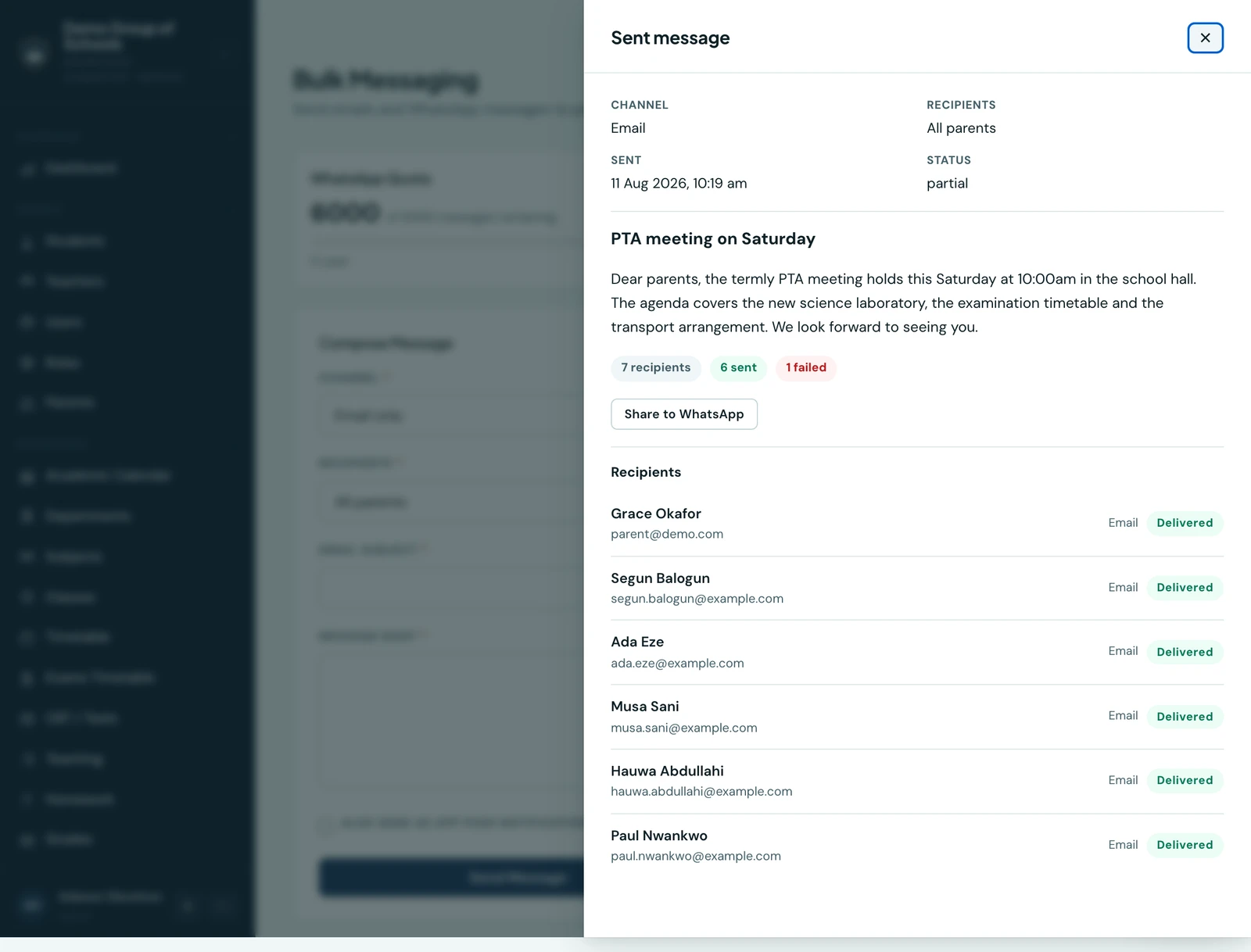
Send a school announcement into the WhatsApp group your class already uses. You choose the group and send from your own WhatsApp account. Sharing does not use your school's 1410SMS WhatsApp allowance.
What you can share
- School and class notices: open a sent message in Messaging, then choose Share to WhatsApp. A partially delivered announcement can also be shared. Messages addressed to individual parents cannot be shared through this action.
- Homework: choose Share to WhatsApp beside an assignment on the web, or from its actions menu on the phone. Give draft work out first. Closed homework can still be shared, with a note that it is closed to submissions.
- Exam timetables: publish the series first. Choose Share to WhatsApp beside the published series on the web, or tap the share icon on its timetable screen in the app. Families follow the portal link and sign in to read their own child's papers.
The shared text ends with your school's parent portal link. It carries no school-name heading, since the group it lands in already knows who is writing. A homework deadline uses your school's timezone, so every recipient reads the same date and time, and exam dates print in the calendar your school reads.
Choose the group
On the web, the button opens WhatsApp with the message prepared. Select the group, review the words, and send. If your browser blocks the new tab, follow Open WhatsApp to choose a group. On a Mac, WhatsApp's desktop app drops text handed to it this way, so the button reads Copy for WhatsApp instead: it copies the whole announcement and changes to Copied, and you paste it into the group yourself.
On the phone
- For a notice, open More → Messaging and tap a sent school or class message.
- For homework, open its actions menu. For an exam, open the published timetable and use its share icon.
- Choose Share to WhatsApp. The native share sheet opens; choose WhatsApp, then select the group and review the words before sending.
WhatsApp must be installed to appear. The apps and suggested recipients depend on your device.
Before you send
Check school-authored text for private pupil details before forwarding it. Sharing adds no recipient contact details, pupil marks or submitted work. The portal link still requires each family to sign in; it does not grant access to another child's records.
Sharing and class delivery
The normal By Class send still reaches families individually through the platform. Its sent, delivered and read counts describe those messages. A share to your own group is separate: 1410SMS does not send it automatically or track who reads it there.
Staff need the permission to read the source. A teacher can share only homework they are allowed to open. Students and parents do not have these staff sharing actions.
Ready to try it with your school?
Three-month Basic trial. No card required to register.