
Portals
Parent Portal
Parents log in to track their children's grades, attendance, and fees in real time, download report cards, and view class and exam timetables.
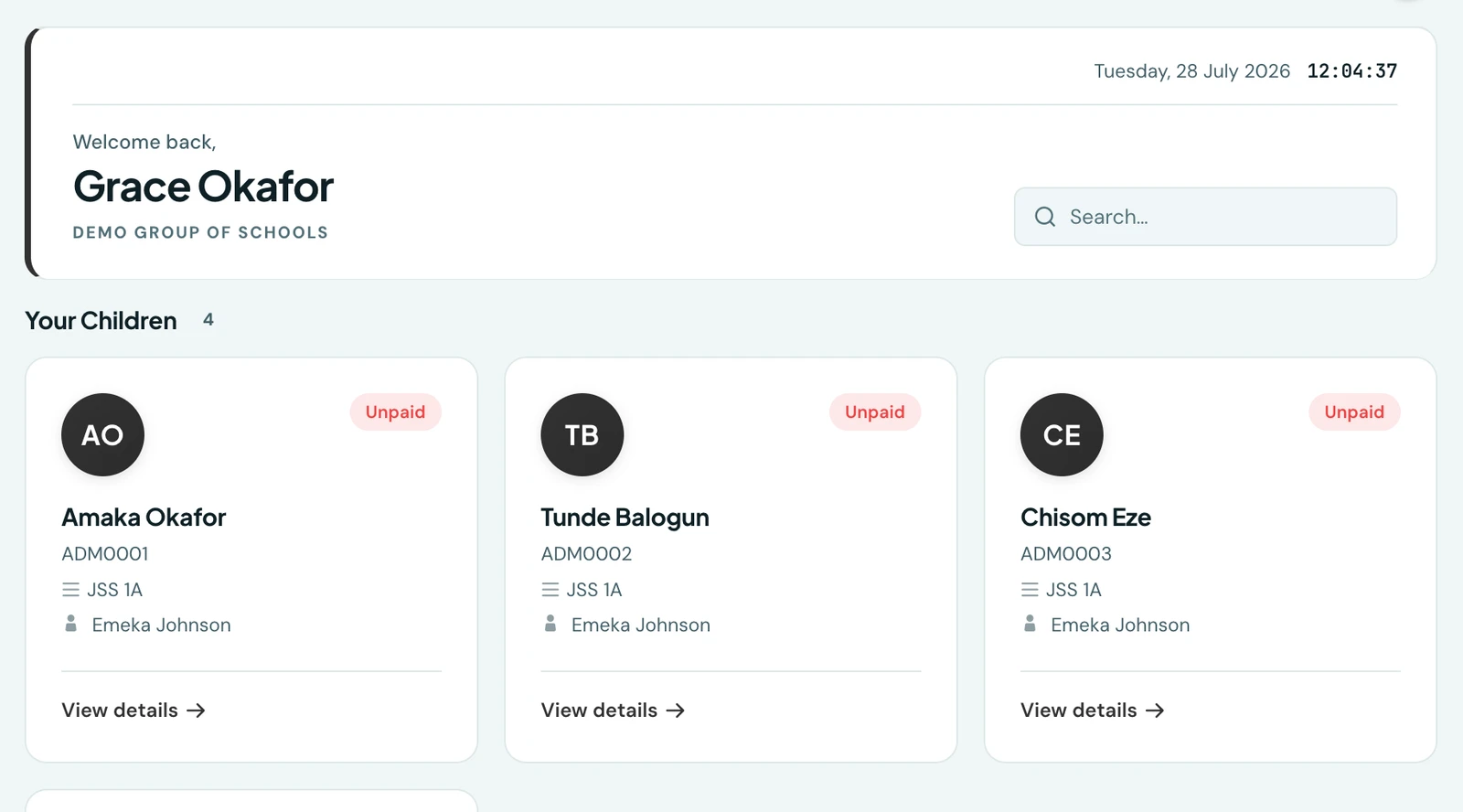
Parents get a read-only view of their children covering grades, attendance, fees, the exam timetable and the class timetable as they happen, and can download a child's report card as a PDF. Parent accounts are created and linked by the school, not self-service.
Adding & linking a parent
There are two ways, both admin-driven:
- Automatically on enrolment. When you enrol or edit a student and fill in the guardian's name and phone number, a parent account is created and linked to that child for you. Every guardian field is optional, and those two are what an account needs to be nameable and reachable.
- From the Parents page (People → Parents). Add a parent (optional title, their name, phone number, and an email address if you have one), pick the child and the relationship, and the link is made.
A parent's name is one field and their email is optional: a name and a phone number is a complete record, which is what most schools actually hold. See Parent management for the whole model.
If a parent with that email or phone number already exists (e.g. a sibling, or a child at another school) the system links to that existing account. It never creates a duplicate, and it never changes their existing details or password. Because a parent account is global, one parent can be linked to children across multiple schools. On the web they see the children of the school whose address they log into; on the mobile app they log in once and see all their children across every school in one place (see below).
Signing in
The parent login takes one field that accepts either an email address or a phone number, so a
parent uses whichever the school holds for them. A number can be typed the way it is written locally
(08012345678) or in full (+2348012345678); both reach the same account.
How parents set their password
A brand-new parent is sent a secure link to set their own password, valid for three days: by email where there is an email address, and over WhatsApp where there is not. The school never sets it and never sees it. From the Parents page you can resend the invite or reset a password at any time, unlink a child, and edit a parent's details. Parents can also change their own password from their portal.
Logging in
Once their password is set, parents log in on the web at
yourschoolname.1410sms.com/parent-login with their email and password, which shows them the
children at that particular school.
One login for every school (mobile app)
Parents whose children attend more than one school no longer have to log out of one to check another. In the mobile app, a parent taps Parent, enters just their email and password (no school to pick), and lands on a single home screen listing all their children grouped by school. Tapping a child opens that child's grades, attendance, fees, and report card, and the app takes on that child's school colours and logo while you are viewing them, returning to the neutral 1410SMS look at the top level. One account, one password, every child.
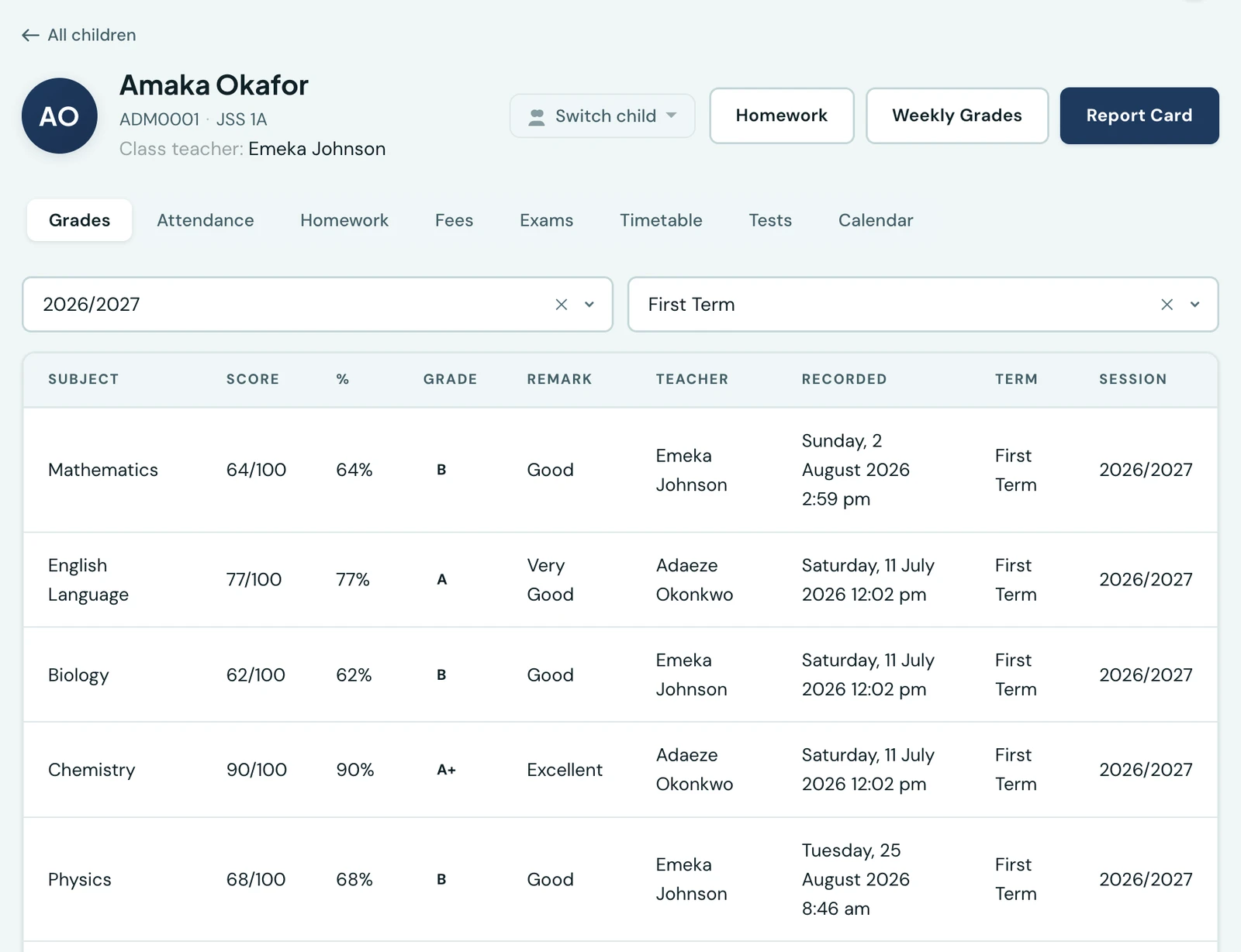
Opening a child gives their grades, attendance, homework, fees, exams and timetable, plus their report card.
Switching between children
A report card and a week of marks are about one child at a time, so both pages carry a child switcher in their header: the child on screen is named there, and a parent with more than one child can move to another without going back out to the children list. On the phone it is the child's name under the screen title; on the web it is a picker beside the term and session.
It lists every child, including one the page does not apply to. An early-years pupil is assessed developmentally, so they have no weekly subject marks; they are listed with the reason and open on their developmental report instead, rather than being quietly left out of the list.
What parents can see
- Child's full academic profile and class
- Grades by subject, term, and session (most recent 20), from terms whose report cards have been released. A subject whose exam is still to come shows as an incomplete mark: the score out of what has been marked, an Incomplete tag, the paper's full total, and no letter yet
- Attendance for the chosen term, with the percentage rate worked out over the same records
- Fee invoices and payment history (last 50 records)
On the phone
The mobile app is where the parent portal is really used, and it works differently from the web on purpose: a parent signs in once, with no school, and sees every child across every school that uses 1410SMS, grouped by school. Each child's card carries their attendance and fee standing with fees, attendance and grades one tap away.
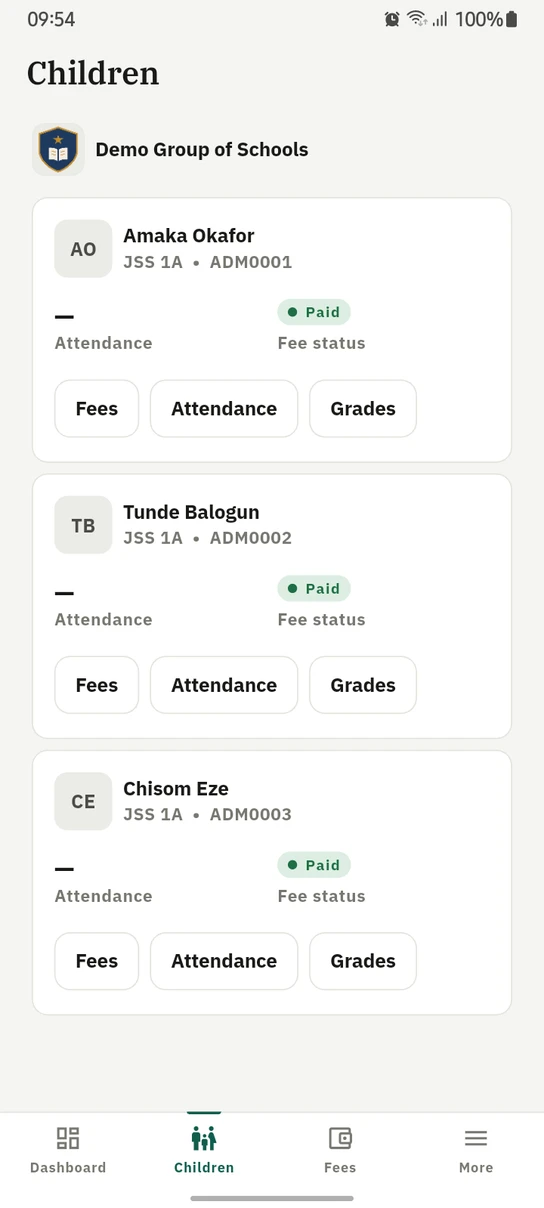
A parent's children on the phone, grouped by school, each with their standing and three ways in.
Ready to try it with your school?
Three-month Basic trial. No card required to register.