
Students
Deleting a Student
Remove a pupil record that should never have existed, such as a duplicate, a test record or one made in error, with seven days to change your mind and a permanent note of who deleted it and why.
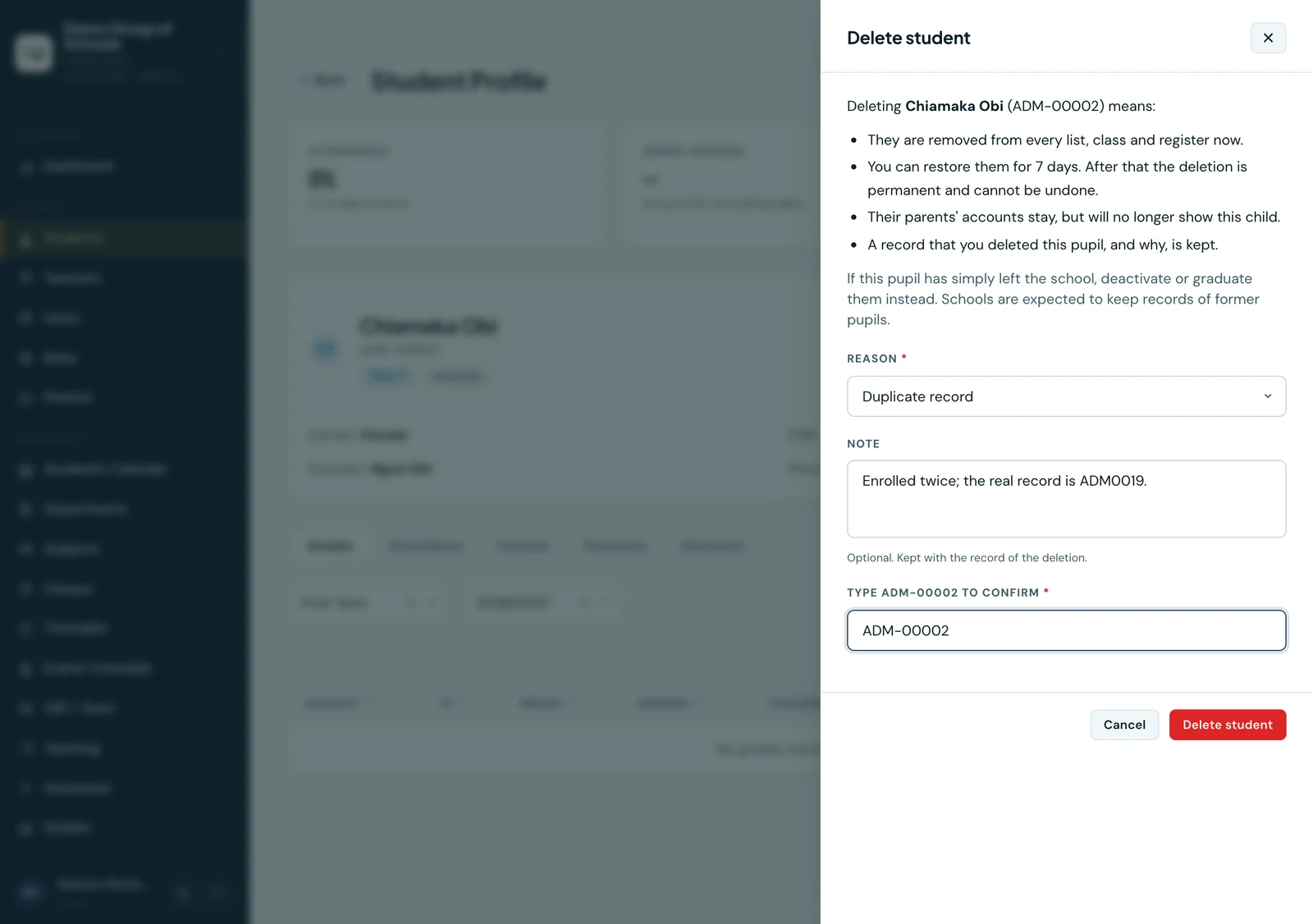
Deleting is for a record that should never have existed: a pupil enrolled twice, a record made in error, a test record, an applicant enrolled ahead of time who never started, or a family asking for their child's records to be erased. Those are the five reasons the screen offers, and one of them is required.
A pupil who has simply left is not deleted. Deactivate or graduate them instead: a school is expected to keep a former pupil's records for years, and a deactivated pupil already leaves every list, register and invoicing run and stops counting towards your plan.
Deleting a pupil
Deactivate the pupil first, then choose Delete from their row's menu on the Students list (filter it to Inactive to find them), or Delete student on their profile. The drawer checks the record before offering anything:
- What goes with them, counted for this pupil: grades, attendance, draft invoices, homework and so on, and whether any parents are linked. Only what they actually have is listed.
- What their parents keep. A parent's own account is never touched; it simply stops showing this child, from the moment you confirm.
- What is kept. The audit log records that the pupil was deleted, by whom, when, and the reason and note you gave.
Pick a reason, add a note if it helps (it is kept with the record of the deletion), and type the pupil's admission number back to confirm.
Seven days to change your mind
A confirmed deletion does not happen at once. The pupil is marked for deletion, disappears from every list, class and register straight away, and is erased for good seven days later. Their profile says so, with the date, and offers Restore until then.
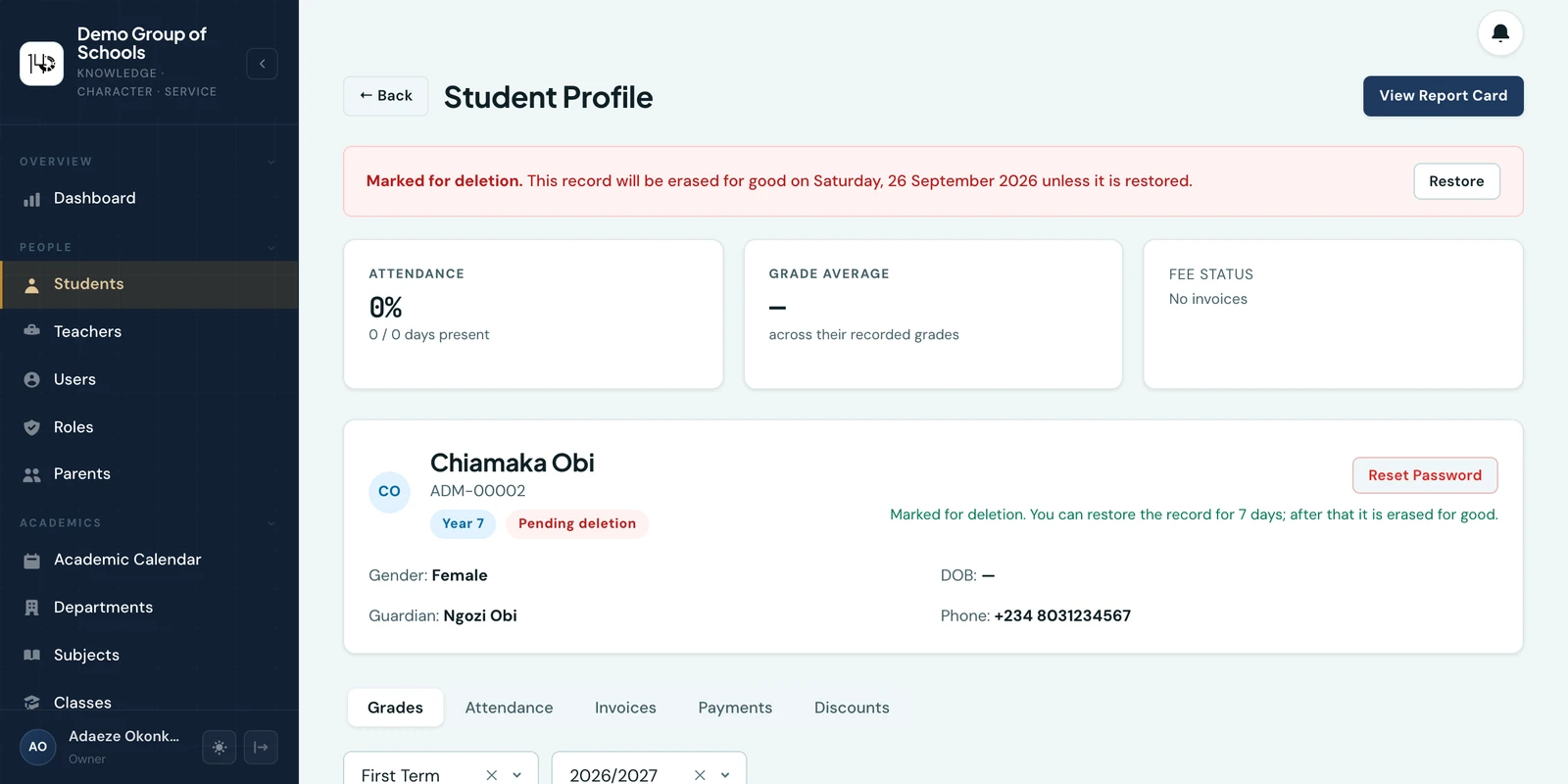
Restoring takes the mark off and keeps the record. The pupil stays deactivated until you re-activate them, and they cannot be re-activated while the mark is on. To find everyone waiting to be erased, filter the Students page by Pending deletion.
Families are not told. From the moment the pupil is marked, their parents' portal and app stop showing the child.
A record with nothing in it goes at once
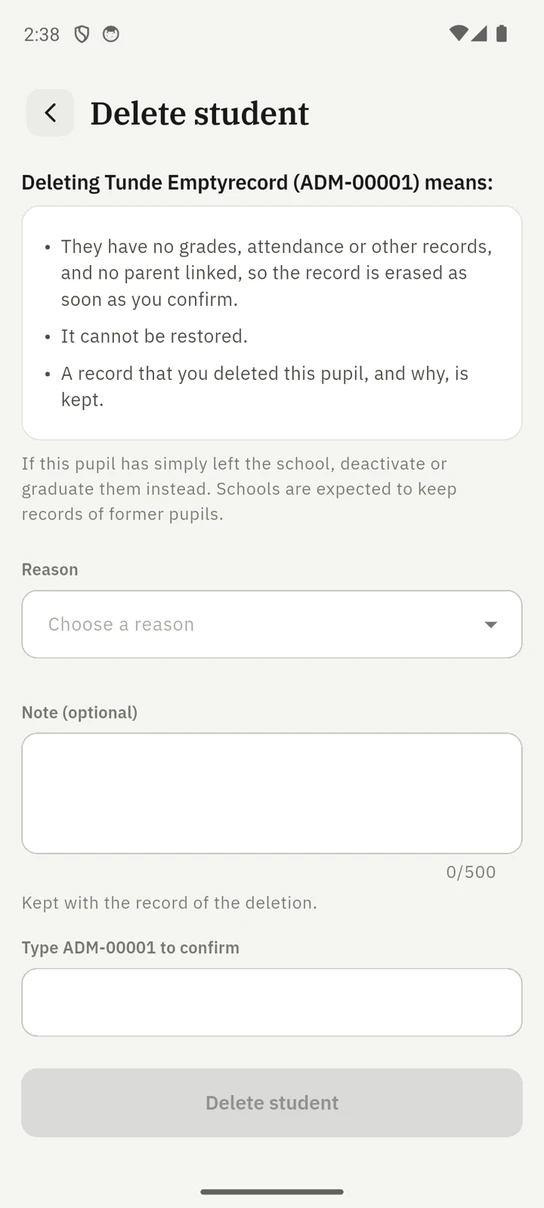
A pupil record that holds nothing at all (no grades, attendance, invoices or other records, and no parent linked) is erased as soon as you confirm, with no wait and no restore. The seven days exist to protect what a mistake would take with it, and an empty record takes nothing you could not type again. The drawer says which of the two will happen before you confirm, and the audit log records the deletion either way.
When a pupil cannot be deleted
Some records have gone somewhere the school cannot take them back from, and deleting the pupil would leave those documents pointing at nobody. The drawer refuses, naming every reason at once, if the pupil:
- is still active (deactivate them first);
- has any payment recorded against them, including online payments and refunds;
- has ever had an invoice issued, even one later cancelled;
- is listed on a family invoice still in draft; or
- has marks, a report card or an early-years assessment in a term the school has released.
A pupil like that is graduated or deactivated instead. The same checks run again when the seven days are up: if something arrives during the wait (a payment imported against the pupil, say), the deletion is cancelled, the pupil is kept, and whoever deleted them is told.
On the phone
The mobile app has the same screen, under Delete student in the pupil's own menu, with the same checks, the same reasons and the same confirmation. Restore is there too.
Who can do this
Deleting and restoring need the Delete students permission, which only the Owner role holds by default. It can be granted to another role from the Roles page. Every deletion, restore and erasure is recorded in the audit log.
Ready to try it with your school?
Three-month Basic trial. No card required to register.