
Academics
Grade Breakdown & Analytics
A per-student grade breakdown across subjects, terms and sessions, with letter grades and remarks computed on the server from your grading scale.
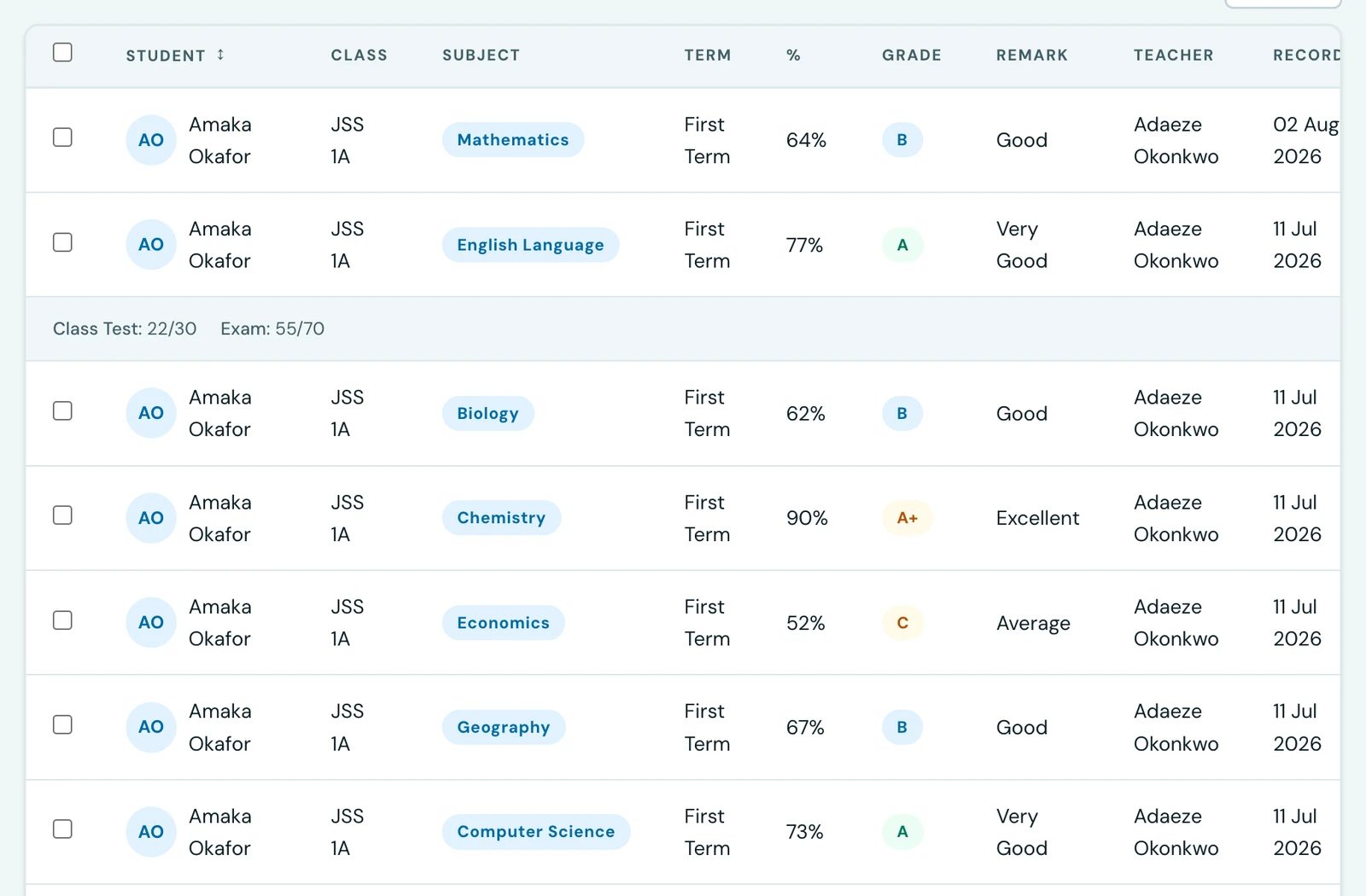
Every grade entry automatically computes a letter grade and remark from your configured grading scale. Breakdown views let you analyse performance across subjects, terms, and sessions in one place.
Per-student breakdown
Open any student's Grades tab (or go to the student portal / parent portal grades page) to see all recorded grades for that student, filterable by term and session. Each row shows:
- Subject name
- Raw score and maximum score
- Computed percentage
- Letter grade (A–F)
- Remark (e.g., Excellent, Good, Fail)
- Recording date and teacher
Report card
The report card pulls all grades for a given session and term and presents a per-subject summary alongside the student's overall average. Letter grades and remarks are always computed server-side from the grading scale. They are never entered by hand, so they are always consistent. Download the report card as a PDF directly from the report card page.
On the phone
Components are entered and read on the phone too, not only at a desk.
- Entering them. Both the single-subject form and the multi-subject form (one pupil, several subjects at once) offer Break the mark down. Adding components replaces that subject's score field with a live read-only total, because once a mark is made of parts the total is theirs: a second editable copy could only ever disagree with them.
- Reading them. Every grade row shows one chip per component, so
Assignment 15/20,CA 18/20andExam 48/60sit under the81 / 100they add up to.
Recording several subjects at once reports what was actually saved rather than what was sent. A subject the pupil already has a grade in for that term is skipped, not updated, so the app names those subjects, says why, and leaves their rows on screen for you to correct from the grades list.
Access by role
- Admins & teachers. View and record grades for any student in any class they have access to
- Students. See their own grades and download their own report card from the student portal
- Parents. See all their linked children's grades and download report cards from the parent portal
Ready to try it with your school?
Three-month Basic trial. No card required to register.