
Communication
Staff Notifications
Your office staff are told the moment money is recorded, a payment needs a second pair of eyes, a candidate registers for an entrance exam, an import or a report-card batch finishes, or your subscription is about to lapse.
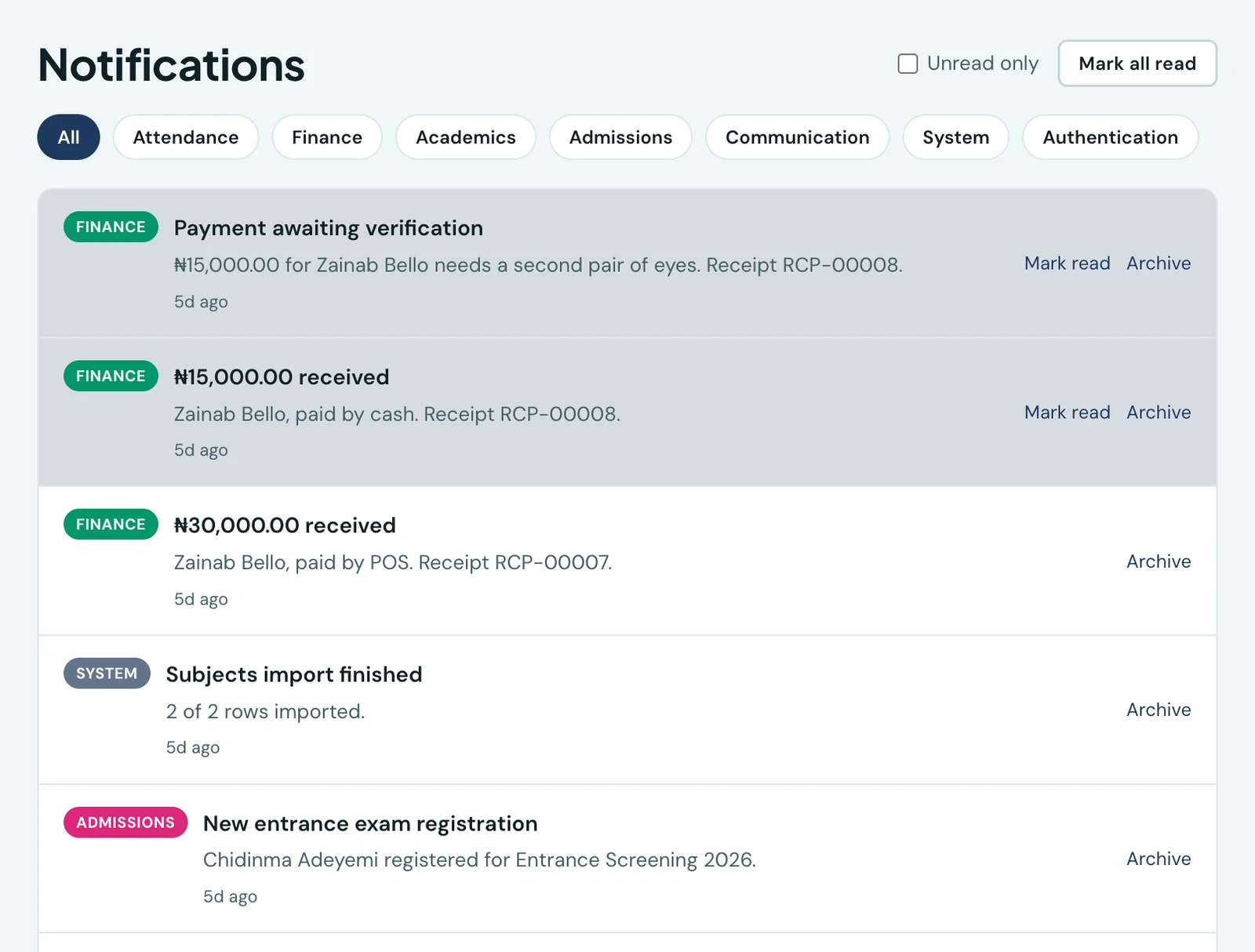
Parent notifications tell families about their own child. Staff notifications are the other direction: they tell the people running the school what has just happened in the office, without anyone having to keep a page open and refresh it.
Every one of them arrives in two places at once, the in-app notification centre (the bell in the staff portal) and as a push notification on the mobile app. Nothing here is emailed or WhatsApped, and none of it counts against your WhatsApp allowance.
What staff are told
- A fee payment was recorded. Whether a member of staff typed it in or a parent paid online, everyone who can see finance hears that the money arrived, with the amount, the child and the receipt number
- A payment is waiting to be checked. If your school has turned on payment review, the people who can verify a payment are told the moment one lands in the queue. Opening the notice opens that payment, on the web and in the app, with Verify and Reject right there, so nobody has to find it again in the list. A bulk payments import sends one notice for the whole file, naming it and how many of its rows are waiting, because a term's takings would otherwise be one alert per row
- A candidate registered for an entrance exam. Somebody who is not yet a pupil signed up for one of your guest entrance exams
- An import finished. Your CSV import is done, with how many rows went in and how many were skipped. You are told if it failed, too
- A report-card batch is ready. The class or whole-school report cards you asked for have finished generating and can be downloaded
- Your subscription is about to lapse. Seven, three and one day before your subscription ends
Who gets which
Nobody is subscribed to a list, and there is nothing to configure. Each notification goes to the people who hold the permission that the work belongs to, so it follows your roles and permissions automatically. Give somebody the Accountant role and they start hearing about payments; take finance away from them and they stop. Add a member of staff, and they are included from their first day without anyone remembering to subscribe them.
Two of them are addressed to one person rather than a group. A finished import and a finished report-card batch go to whoever asked for it, and to nobody else: everyone with the same permission could have run one, and telling all of them turns a useful notice into noise once per run.
Where they arrive
The bell in the top corner of the staff portal carries an unread count and opens the most recent notifications; Notifications in the sidebar lists all of them, with mark as read, mark all as read and archive.
On the mobile app, the same notifications arrive as push notifications, and tapping one opens the screen it is about: a payment waiting to be checked opens that payment, a payment received opens the payments list, an entrance-exam registration opens the test the candidate signed up for, a report-card batch opens report cards. Sign in on the app and push is set up for you; there is nothing to turn on.
On the phone
These notifications are built for the mobile app. Each arrives as a push, and tapping it opens what it is about: a payment waiting to be checked opens that payment, a payment received opens the payments list, an entrance-exam registration opens the test, and a finished report-card batch opens Report Cards. A finished import and a subscription about to lapse open the dashboard.
The bell at the top of the dashboard opens Notifications, the same list the web portal's bell shows, with a dot while anything is unread. Filter it to Unread, use Mark all read, or archive a notice you are done with. There is nothing to set up: sign in and push is on.
Ready to try it with your school?
Three-month Basic trial. No card required to register.