
Academics
Homework reminders and dashboards
An evening message naming everything a pupil has due the next day, one per child however many teachers set work, and a card on the pupil's, the parent's and the teacher's dashboard saying what is still outstanding.
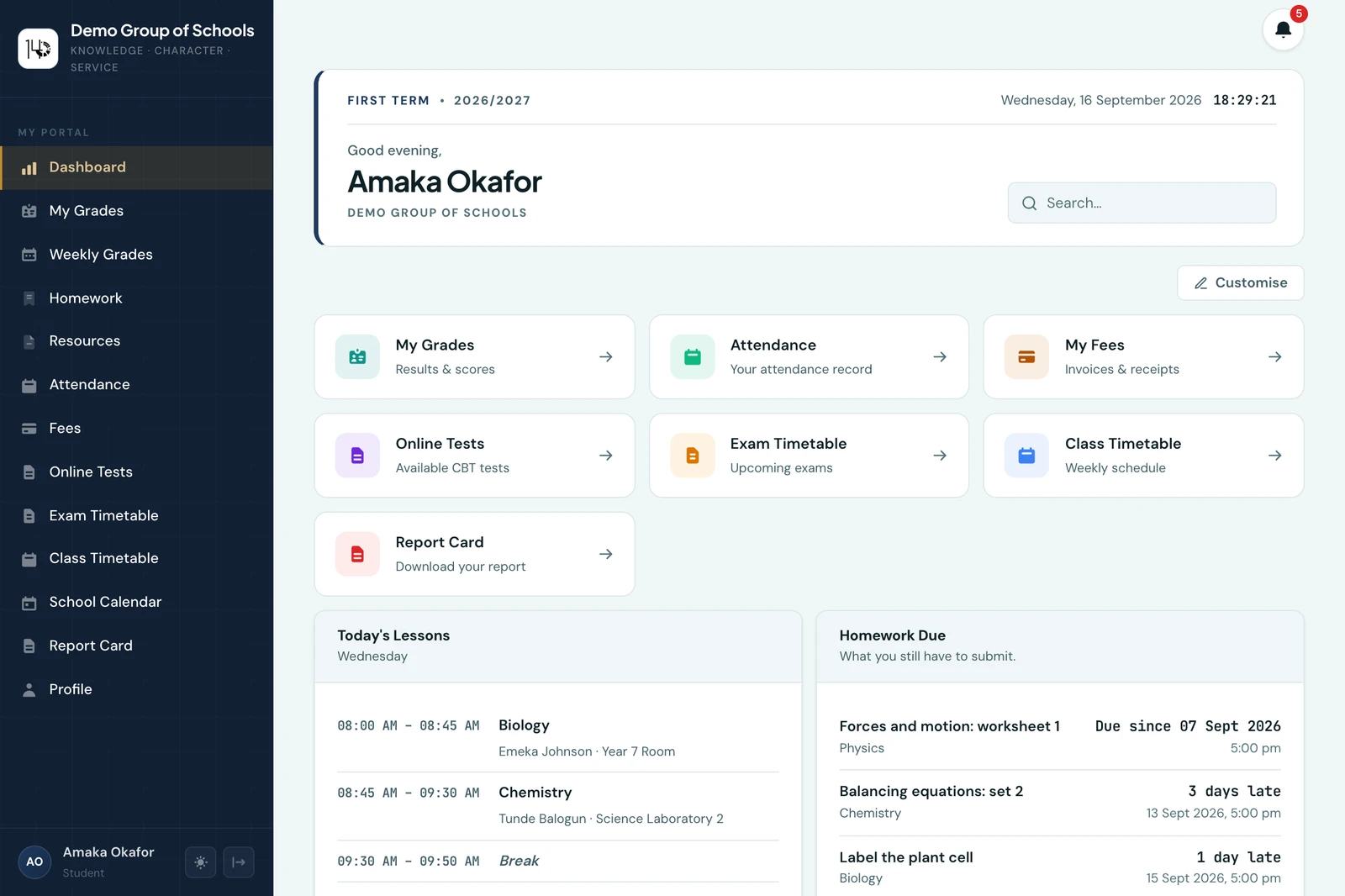
A school sets homework all week. The child writes some of it down, remembers some of it, and discovers the rest on the morning it is due. The parent finds out later than that.
This page covers the two things that close that gap, neither of which asks anybody to go looking: a card on the dashboard people already open, and a message in the evening.
The card
Homework Due sits on three dashboards and answers a different question on each.
- The pupil sees what they still have to submit, soonest first.
- The parent sees the same for their children, so "have you done your homework" stops being a question with only one source.
- The teacher sees the other side of it: how many pupils have not submitted work that is already due, and one tap opens the full list.
Work a pupil has already submitted drops off their card straight away. That matters more than it sounds: a list that keeps showing you something you did on Tuesday is a list you stop reading.
The cards are on the phone too, and hiding one hides it in both places. They are part of the dashboard you can rearrange, so a school that does not want them can turn them off like any other card.
The evening reminder
Every pupil gets one message in the evening naming everything due the next day. Their parents get it as well. It is on from the day you start, and you can turn it off.
One message, however many teachers set work. This is the part worth being careful about. Four teachers setting homework on the same Wednesday could easily be four notifications to the same child and four to each parent, and a family on the receiving end of that turns notifications off for everything, including the ones about money and attendance. So it is a single message per child per day, listing the subjects.
Three more decisions follow from the same instinct:
- You can turn it off entirely. Everything else the platform sends is caused by somebody doing something; this one is caused by a clock, so it is the one worth knowing you control. Schools that want the card on the dashboard and nothing arriving in the evening switch it off and keep the rest.
- You choose the hour, on your own local time rather than a server's. Five in the afternoon is the default: late enough that the day's homework has all been set, early enough that a parent reading it still has an evening to do something about it.
- Work already submitted is left out of that child's copy. A pupil who did the exercise on the day it was set is not chased for it that evening.
Nothing goes out by WhatsApp. Homework is the highest-volume message the platform would ever send a family, and the WhatsApp allowance is better spent on fee notices and the things a school sends once.
The Sunday digest
The weekly digest that parents receive on Sunday evening carries each child's homework too: the week just ended, with how each piece went, and everything due in the week ahead. The evening reminder answers "what is due tomorrow"; the digest answers "how did this week go, and what is coming". Work in an exercise book is never called late or missing there, because the platform records when a teacher ticked the book, not when it was handed in.
Changing it
Settings, then Homework. The hour sits beside the switch; turn the reminder off and the hour goes away with it, because there is then nothing to schedule.
There is nothing to set up to begin with. The reminder reads the homework your teachers are already setting, and the deadline they already typed, so it starts working the week your school does.
On the phone
The evening reminder is sent by the platform, so there is nothing for anybody to do on any device for it to go out, and a family with the mobile app receives it as a notification.
The switch and the hour are on the phone as well, under More → Settings → Homework. On a teacher's dashboard in the app the card is a figure, Not submitted: how many pupils have not handed in work that is already due, counted once per pupil per piece of work. Tapping it opens Homework.
Ready to try it with your school?
Three-month Basic trial. No card required to register.