
School Setup
Departments & Subjects
Organise teaching staff into academic departments and group subjects for cleaner reporting and subject-teacher assignments.
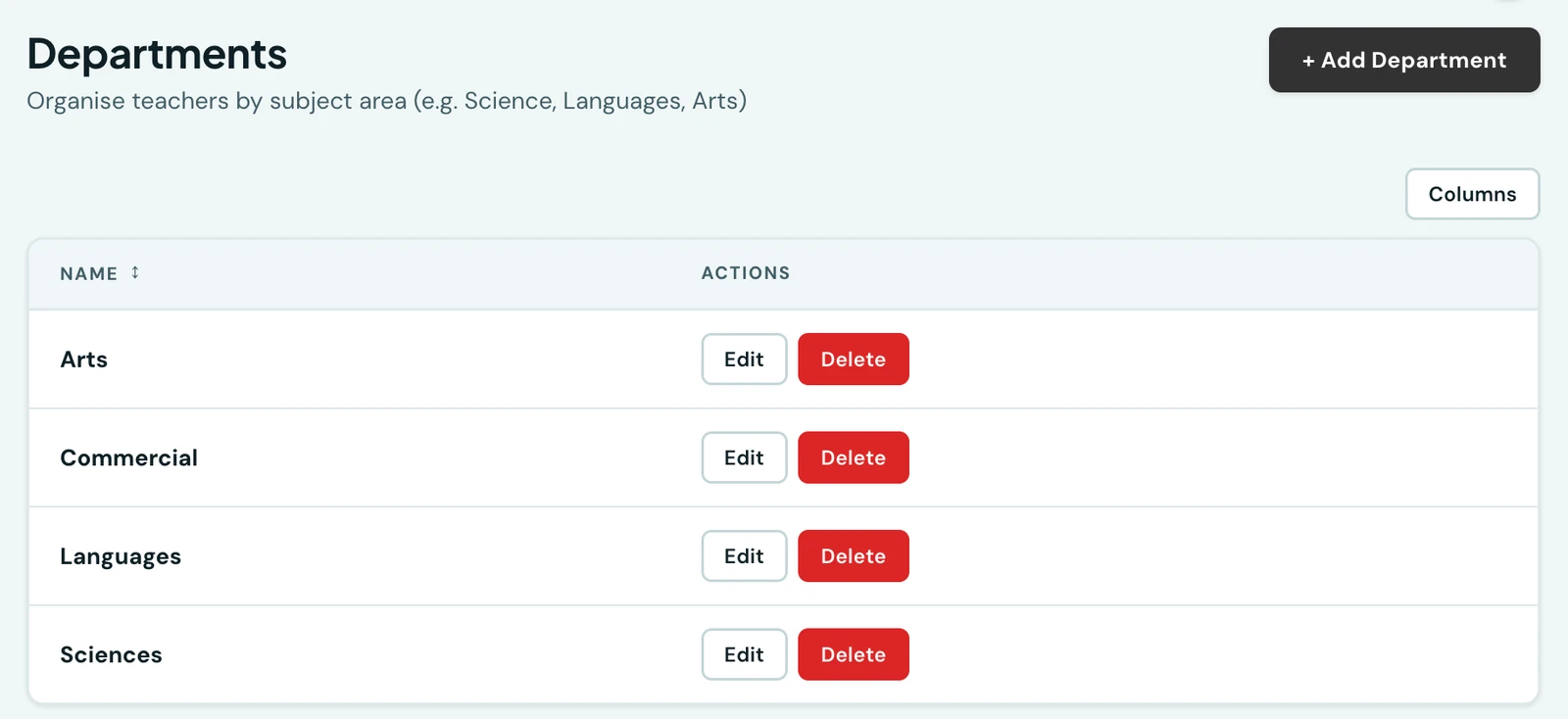
Departments
Departments organise both your teaching staff and your subjects (e.g., Sciences, Arts, Languages). A standard set is created automatically when your school is set up; go to Departments to add, rename, or delete them. Assigning a teacher to a department is optional. A department that still has teachers or subjects assigned can't be deleted until those are reassigned.
Subjects
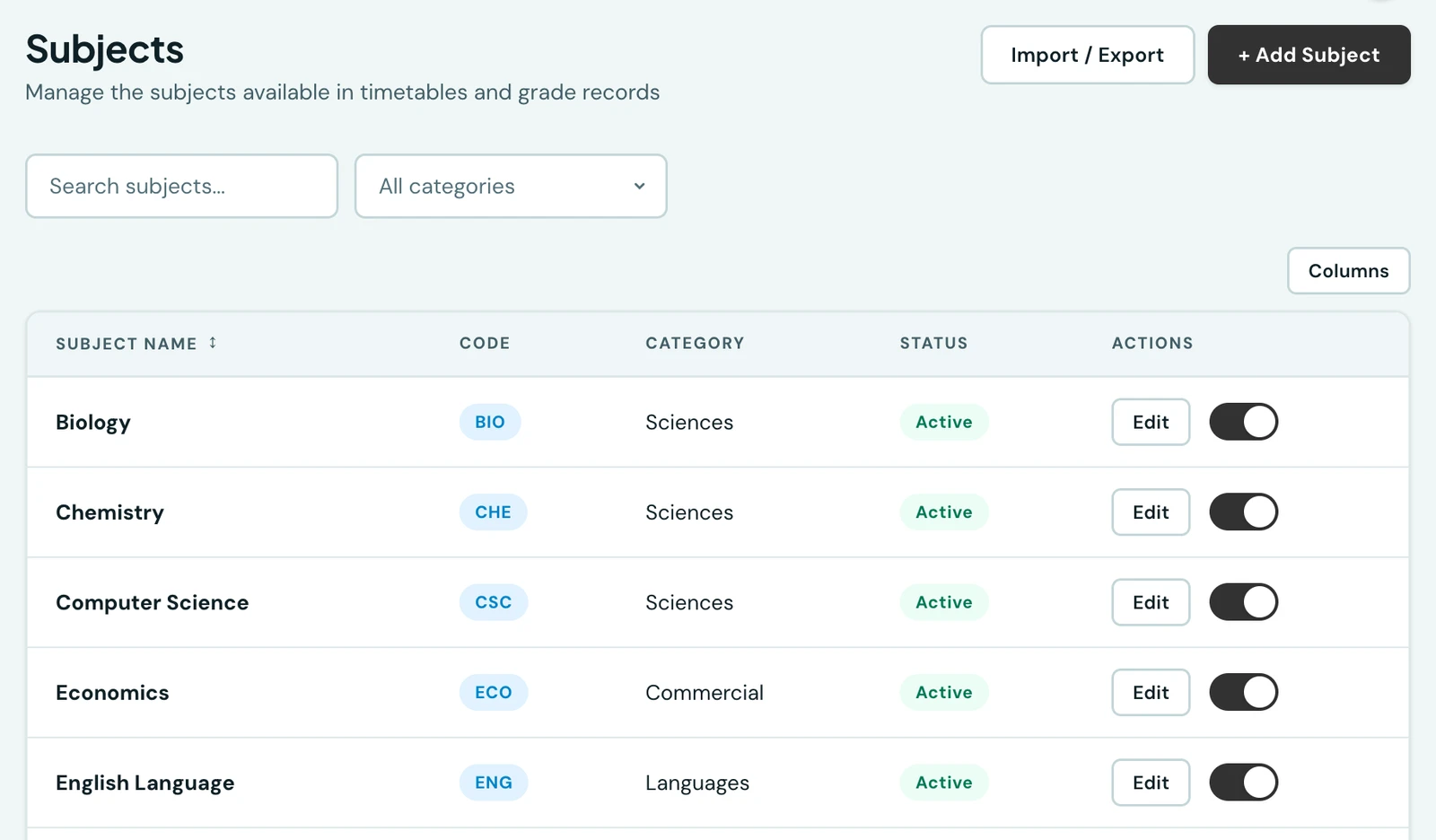
Each subject's category is one of your departments, so the two lists always agree.
Subjects are the courses taught at your school (e.g., Mathematics, English Language, Biology). Go to Subjects to create and manage them. Each subject can be grouped under a Category, which is simply one of your departments, so the category list always matches the departments your school actually uses. Subjects are used when assigning teachers, building timetables, and recording grades.
Deactivating a subject removes it from active use without deleting historical grade data associated with it.
On the phone
Subjects are on the mobile app under More → Subjects, each row giving the subject's code and the department it belongs to, with the same create, edit and delete actions as the web.
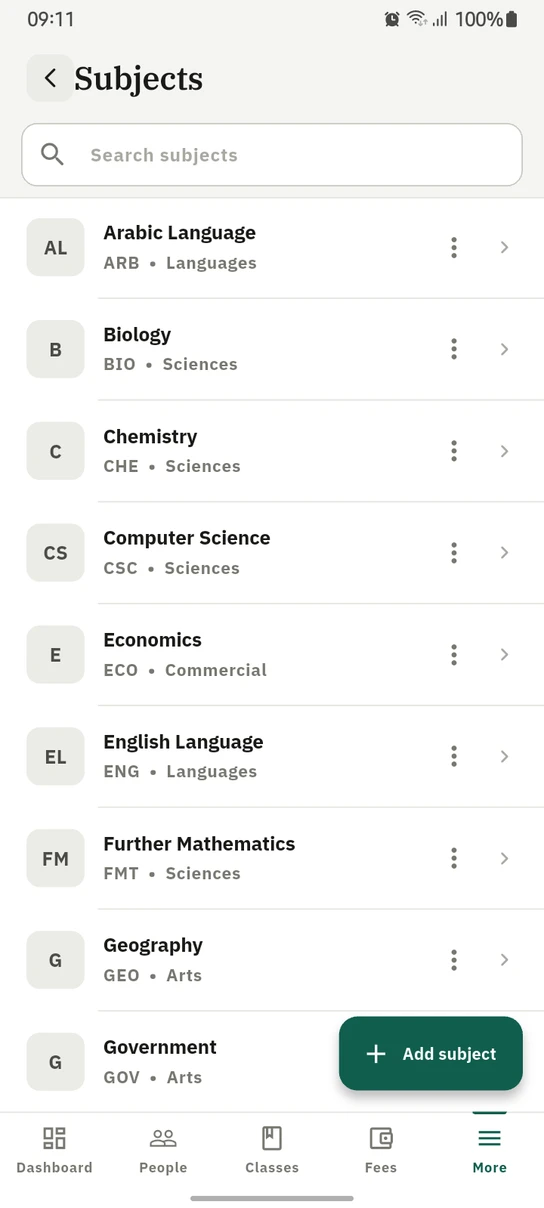
Subjects on the phone, each filed under the department that owns it.
Ready to try it with your school?
Three-month Basic trial. No card required to register.