
Finance
Fee Templates
Save the set of fees a term costs once, then apply it when raising invoices instead of retyping the same lines every term.
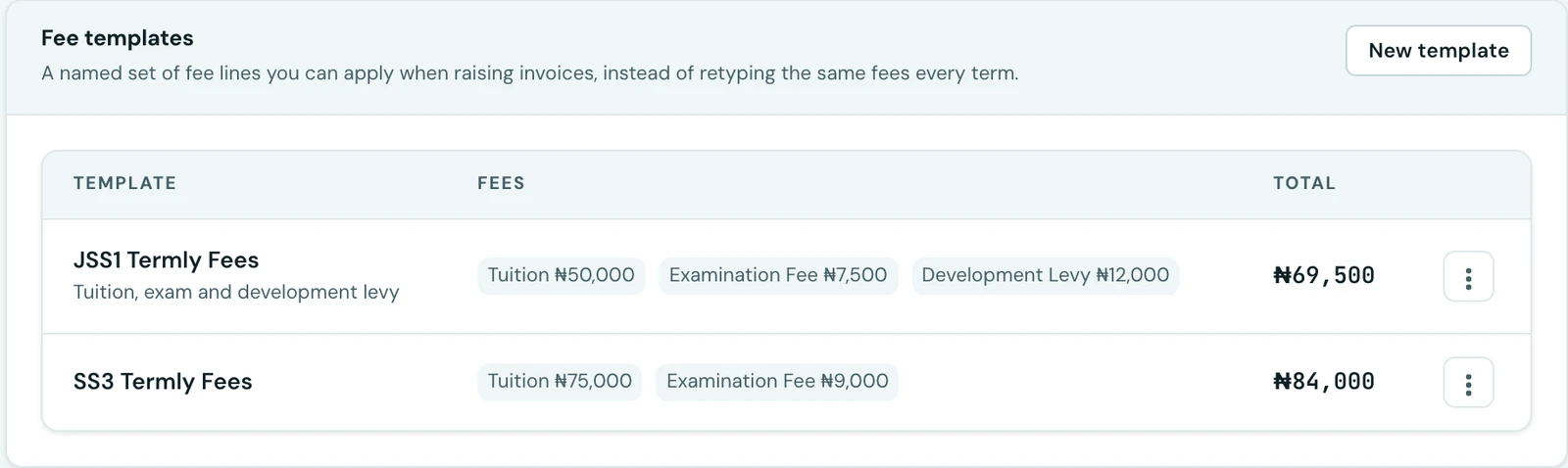
Most schools charge the same handful of fees, term after term: tuition, an exam fee, a development levy, perhaps a uniform charge for one year group. Building that invoice by hand every term is typing the same thing three times a year and hoping this term matches last term's.
A fee template is that set, written down once and given a name.
Creating one
On Finance → Fee Structures, under the fee types table, choose New template. Give it a name (JSS1 termly fees), an optional line of description, and the fees it contains with what each usually costs. The lines are added exactly the way they are on an invoice, because it is the same control.
You can have as many as you need. Schools normally end up with one per year group, or one per fee arrangement where several year groups pay the same.
Using one
On the Create Invoice page, a Start from a template picker sits above the fee lines. Choose one, press Apply, and the lines fill in.
They are a starting point, not a price list. Every amount stays editable afterwards, so a pupil on a different arrangement is a template plus one edit rather than a fresh invoice built from nothing.
When you are invoicing a family, applying a template fills every selected child. Each child's lines then stay independently editable, which is what you want when siblings are in different years.
Applying a template replaces whatever is currently in the lines rather than adding to it. "Start from" means what it says: merging into half-typed lines would quietly produce a bill that was neither the template nor what you entered.
Editing and deleting
Editing a template never changes an invoice already raised. An invoice keeps its own copy of every line the moment it is created, so putting next year's tuition into a template touches nothing that has already gone out to a family. This is the same rule that makes invoices uneditable generally: what a family was charged is a fact, and nothing later should be able to restate it.
For the same reason, deleting a template is safe and needs no warning about consequences. Nothing points back at it.
Removing a fee type removes it from any template that mentions it. A fee type that has ever been invoiced cannot be deleted at all, so this only affects fees you have set up and never used.
What a template does not carry
- No currency. The invoice picks that. A template is a set of amounts.
- No class. Fees genuinely differ by class, so tying a template to one is tempting, but two classes on identical fees would then need two templates kept identical by hand. The template names the fees; you pick who to charge on the invoice form as you do now.
- No term or session. Reuse across terms is the entire point.
Who can use them
Creating, editing and deleting templates needs the same permission as managing fee types (Fee structure management). Applying one only needs permission to create invoices, so whoever raises the term's bills can use a template without also being trusted to redesign the school's fee structure.
On the phone
Templates are on the mobile app. Open Fees, tap the ⋮ menu and choose Fee templates. Template creates one with a name, an optional description and its fee lines, and each template's menu offers Edit and Delete.
To use one, tap Start from a template on any invoice form (a single student, a whole class or siblings) and tap the template you want. As on the web, it replaces whatever fee lines are already there, and every amount stays editable afterwards.
Ready to try it with your school?
Three-month Basic trial. No card required to register.