
Advanced
Mobile App
One app for every school on the platform. Search for your school by name and sign in for push notifications, offline viewing and offline attendance marking.
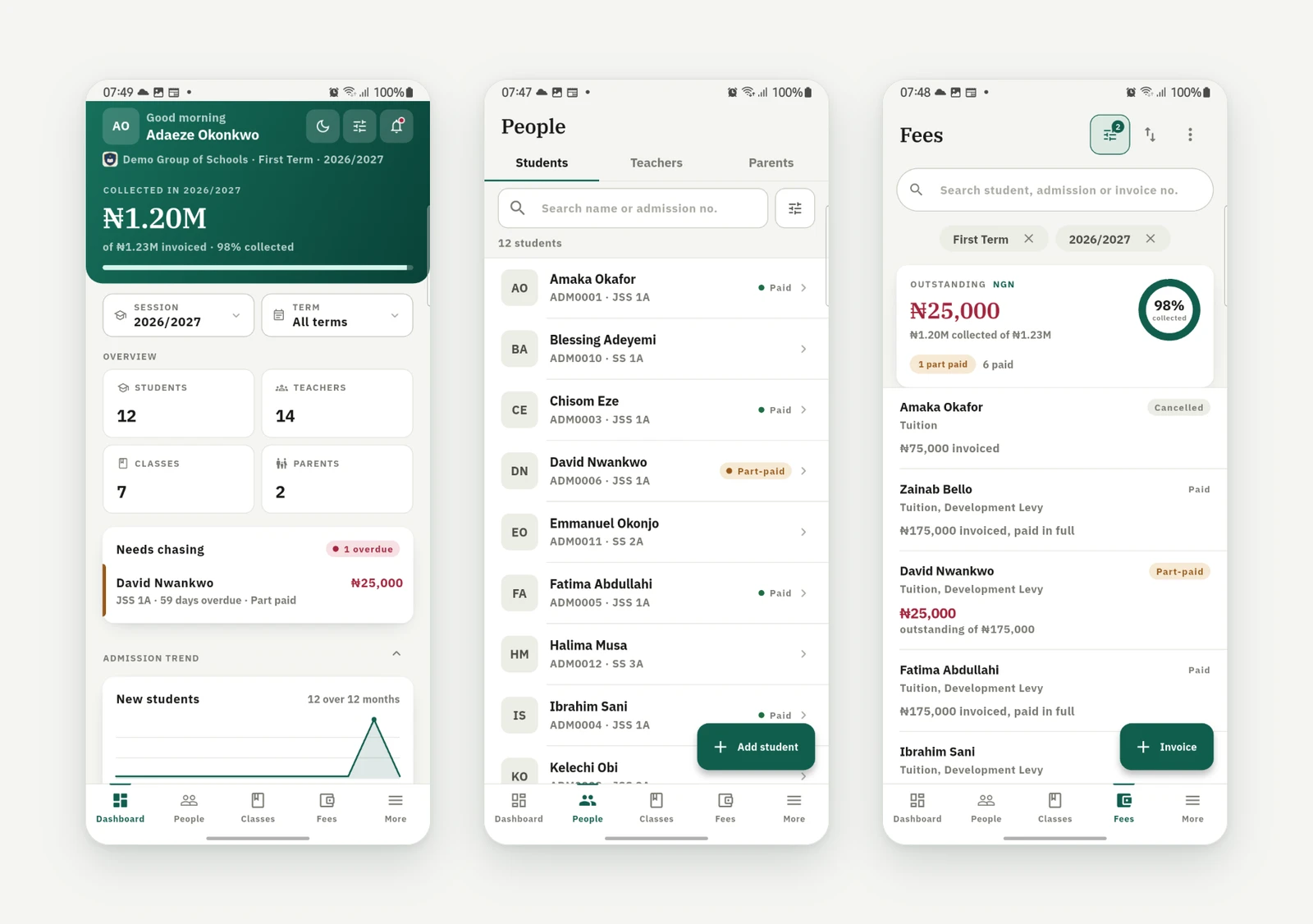
One 1410SMS app serves every school on the platform. Staff, students, and parents sign into the same portals they use on the web, now with push notifications and offline support.

The iPhone and iPad app is coming soon.
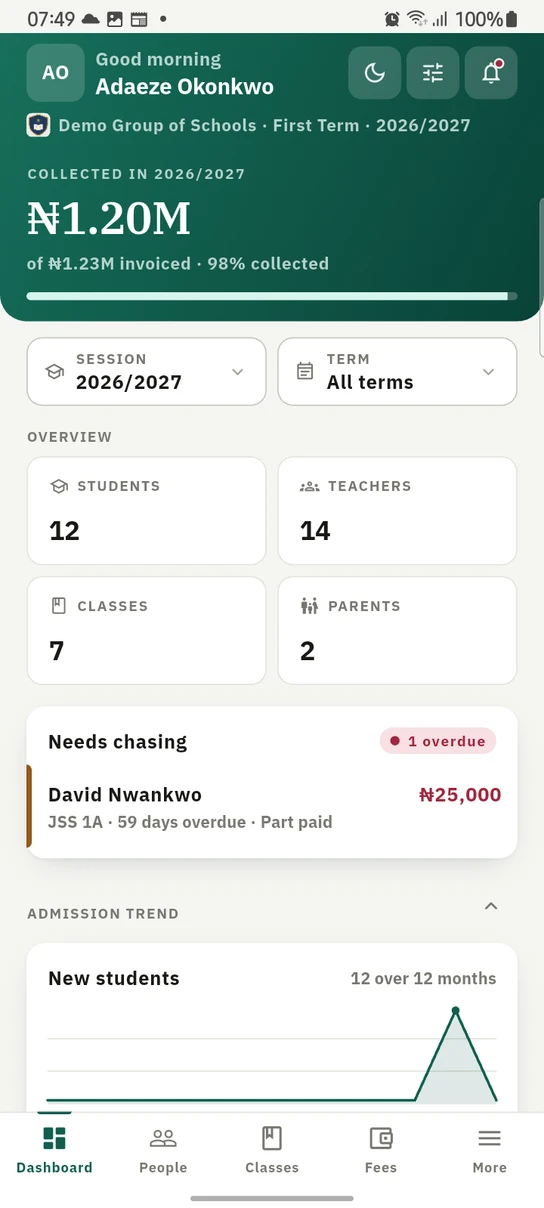
The staff dashboard in the Android app. What the school has collected leads, then the counts, then the families to ring first.
Finding the app
The store links are on the buttons above, and they are also on every sign-in page of the web portal, under "Get the 1410SMS app". A parent who has only ever been sent the web link therefore has a way to the app from the screen they already have open, on the very device they are holding.
Getting started
- Pick how you sign in first: Staff (admins and teachers, by email), Student (by admission number), or Parent (by email). The credentials are the same ones you use on the web portal.
- Staff and students, finding your school: search for your school by name and tap it in the results (no codes to remember). The app immediately takes on your school's name, logo, and brand colours, then asks for your credentials.
- Parents, one login for every school: parents do not pick a school at all. Sign in once with your email and password and see all your children across every school, grouped by school. Tap a child to view them, and the app takes on that child's school branding while you're there. No more logging out of one school to check another.
- You only search once: the app remembers the school you signed into, so signing out takes you straight back to that school's own sign-in screen, logo and all. Sign in to a different school is on that screen whenever you need another one, and a parent signing in on the same phone is taken back to the usual choice of Staff, Student or Parent.
- Stay signed in: mobile sessions last longer than web sessions, so you aren't re-typing your password every week.
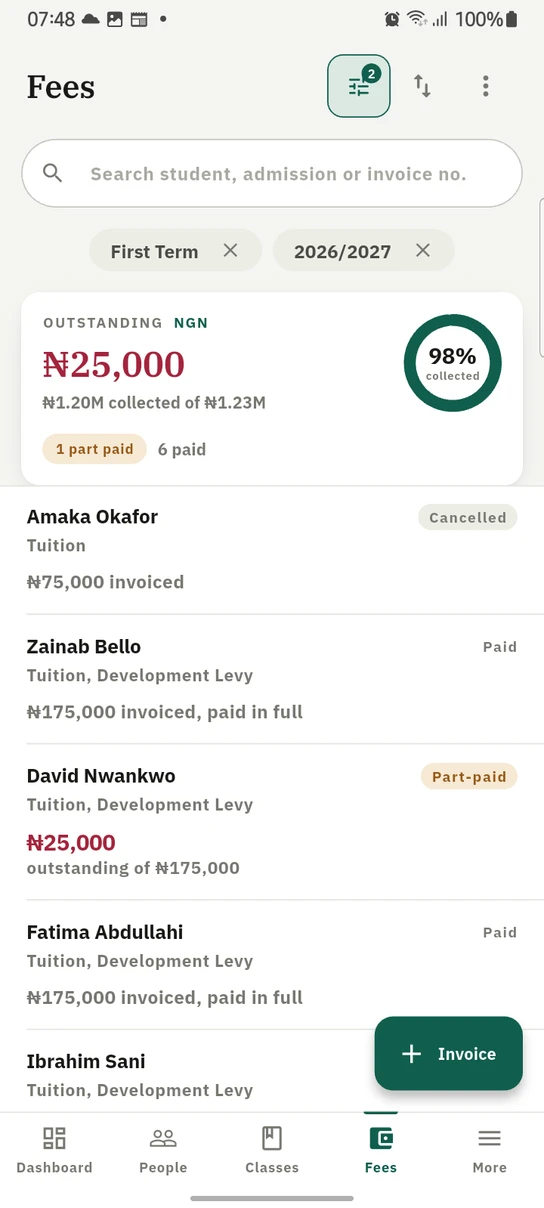
Fees on the phone. Each currency gets its own card, because balances are never added across currencies.
On the phone
The app is not a read-only companion. Staff do the day's work on it, gated by exactly the same role permissions as the web, so what you can reach on the phone is what you can reach at your desk.
- Fees. Raise and search invoices, sort them, record payments, and chase several parents at once by long-pressing to select and tapping Send reminders. Manage your fee structures, and award a discount to one student or a whole class from a discount's own menu.
- Money already taken. A payments queue mirrors the web's: verify or reject a payment against its evidence, resend a receipt a parent has mislaid, void one recorded in error, or record a refund where money genuinely went back.
- Where you stand. Finance analytics (collection rate, an invoiced-against-collected trend, breakdowns by payment method, fee type and term) and an outstanding view ranking your largest debtors and overdue invoices, both per currency. Outstanding also holds the reminder queue, so a bursar can release or dismiss each overdue reminder family by family before any of them go out.
- Statements. The three date-keyed reports, under Fees → Statements: the cash flow statement month by month, the bank settlement reconciliation explaining why less of it reached your account, and the ledger integrity check confirming the ledger behind both still adds up. One date window drives all three.
- Academics. Mark registers, enter grades, open any pupil's report card as a PDF, and read a CBT transcript question by question.
- Setting up. Bank accounts, online fee collection, your school's clock-in location and your notification channels are all configurable from Settings, so a school can be set up without opening a laptop. The location is the one setting the phone is genuinely better at: a pin is only as good as the place it was captured from, and the person standing at the school gate is holding a phone rather than a laptop. Every setting is offered with the same control it has on the web: your school week is picked from Teaching, Open (not teaching) and Closed rather than typed, and your working hours come from a time picker, so a setting with a fixed set of answers cannot be got wrong on a phone keyboard.
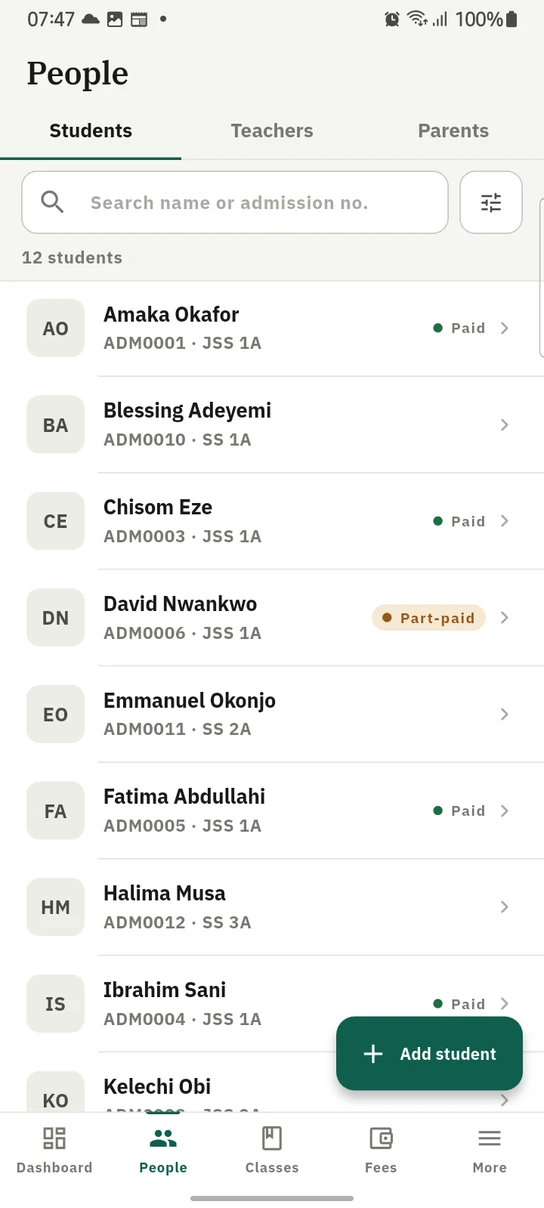
People on the phone. Students, teachers and parents are three tabs of one screen, and a pupil's fee standing is on the row rather than a screen away.
Your dashboard is yours: show, hide, reorder and resize the same widgets as on the web, and the arrangement follows you between the two.
Push notifications
Parents with the app installed receive instant push notifications for invoices, payment receipts, refunds, overdue-fee reminders, published exam timetables, a released week of weekly marks and every attendance mark, absences included. These are governed by the same Settings → Communication → Notification Channels preferences as email and WhatsApp, through the App push channel. Bulk announcements can also be sent as push, per send.
Keeping the app up to date
When a newer version is in the store, the app says so once: a card at the top of your home screen naming the version and offering to open the store. Your current version keeps working, and there is no forced update. Tapping Not now puts the card away for good for that release. The next release may ask once, and this one never will again.
The card only appears when there is genuinely something to move to, so most days it is not there at all. If you are already on the newest version, or the app cannot tell, it says nothing rather than sending you to the store for no reason.
Offline support
- Read offline: the app keeps the last-synced copy of whatever you have viewed, including children, results, fees, attendance and timetables, and shows it (clearly marked as such) when you have no connection.
- Offline attendance for teachers: mark a class register with no connectivity and it is saved on the device, then synced automatically the moment you're back online (or on demand with "Sync now"). Anything the server rejects is surfaced for review rather than silently dropped.
Ready to try it with your school?
Three-month Basic trial. No card required to register.