
Finance
Importing Payments in Bulk
Bring a term's takings or a reconciled bank statement into 1410SMS in one upload. Each row settles one invoice, keeps its own payment date, and posts no receipt.
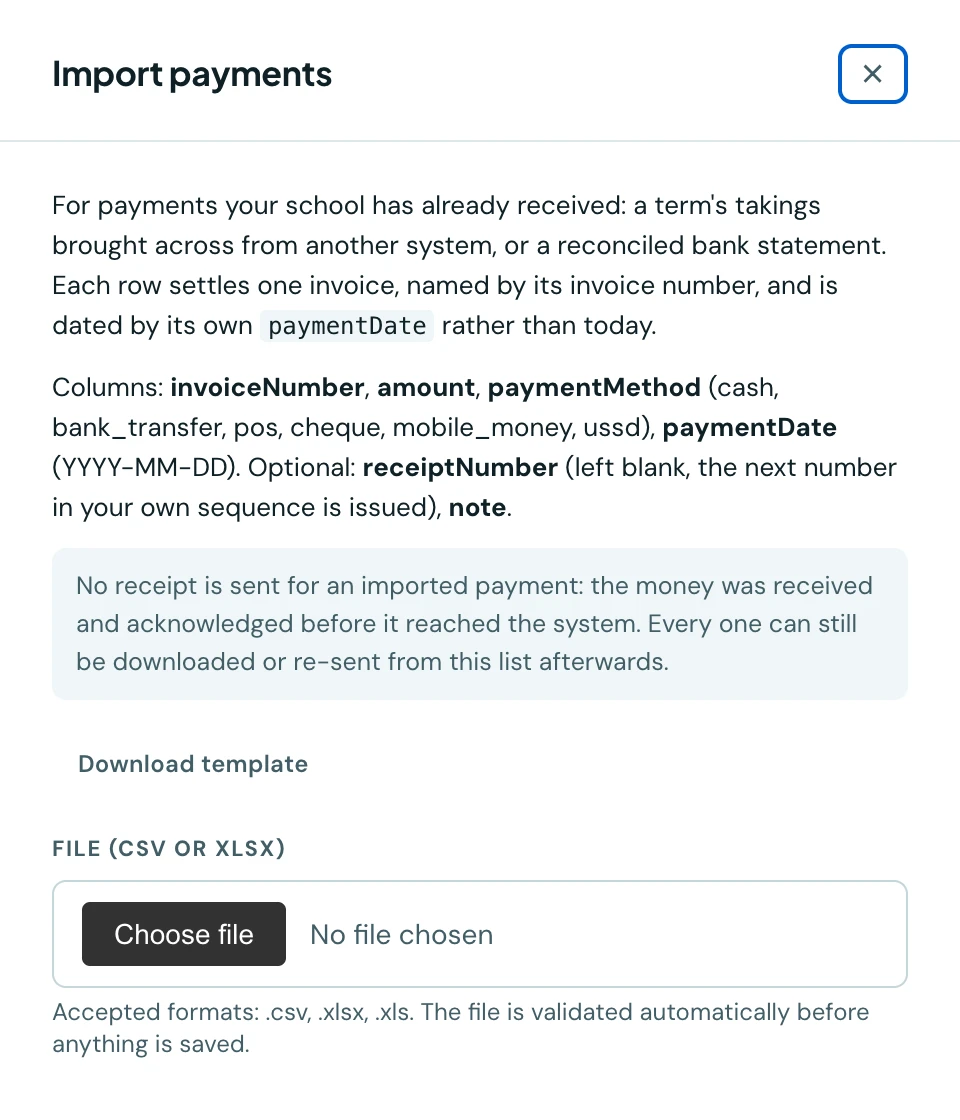
Recording payments one at a time is right when money comes in one at a time. It is the wrong tool for a school moving onto 1410SMS part-way through a year, or for a bursar who has just reconciled a month of bank transfers. Import payments takes the whole lot in one upload.
You will find it on the Payments tab of the Finance Workspace, next to Filter, and in the mobile app on the Payments screen. It needs the Import finance data permission, which is separate from recording a payment by hand.
What the file looks like
| Column | Required | Notes |
|---|---|---|
invoiceNumber | Yes | The invoice this payment settles, e.g. INV-00042 |
amount | Yes | Up to two decimal places |
paymentMethod | Yes | cash, bank_transfer, pos, cheque, card, mobile_money, ussd or other |
paymentDate | Yes | YYYY-MM-DD, the day the money was received |
receiptNumber | No | Left blank, the next number in your own sequence is issued |
note | No | Anything you want on the record, e.g. a cheque number |
Download the template from the drawer to start from a working file.
Payments are matched to an invoice by its number, not to a student. A pupil who owes for two terms has more than one invoice, so an admission number alone could not say which to credit. The invoice number is what your own paperwork and your exported payment list already carry.
What makes it safe
Each row keeps its own date. This is the whole reason the paymentDate column is required rather
than optional. Your cash flow statement, your bank reconciliation and your collection trend all read
that date, so dating a term's takings to the afternoon you uploaded them would make every one of those
reports wrong.
Nothing is written until the whole file is valid. Choosing a file validates it immediately and saves nothing. Any row that would fail is listed with its row number and the column at fault, and the import button only appears once the file is clean. That matters more here than anywhere else in 1410SMS: a half-applied file of payments is a set of books that no longer adds up.
The checks that catch the mistakes people actually make:
- An invoice number your school does not have, or one that has been cancelled.
- An amount larger than the invoice still owes, counting the earlier rows in the same file. Two instalments of ₦30,000 against a ₦50,000 invoice are each fine on their own and wrong together, so the file is refused rather than half-written.
- A receipt number already in use, or used twice in the same file.
- A payment dated in the future.
- A method of
online. Online payments are recorded by the payment provider itself against the transaction it settled, which a spreadsheet row has no way to name. See Online Payments.
No receipts are sent
An imported payment does not notify the family. The money was received and acknowledged before it ever reached 1410SMS, and a school bringing across a term's takings should not send every parent a receipt for something they paid months ago.
Every imported payment is still a completely ordinary payment in every other respect. It settles its invoice, updates the balance and status, counts towards every total and chart, appears in your audit trail under the name of whoever ran the import, and its receipt can be downloaded or sent from the Payments list at any time.
Exporting
There is no separate export here, because the Payments list already has one. Use Export payments in the Finance Workspace header: it downloads exactly the list on screen, filters included, and its columns cover everything the import reads back.
On the phone
Payments can be imported from the mobile app. Open Fees, tap the ⋮ menu, choose Payments, then tap the Import payments button at the top, which appears only with the permission to import finance data. The screen offers Download template; choosing a file checks it at once and saves nothing, lists any rows that would fail, and offers the import once the file is clean. The rules are the same as on the web, and no receipts are sent.
Exporting the payments list is done on the web, from Export payments in the Finance Workspace header.
Ready to try it with your school?
Three-month Basic trial. No card required to register.