
Students
Student Report Summary
A one-page, at-a-glance summary of any student, composing their attendance rate, grade average and fee position into a single view.
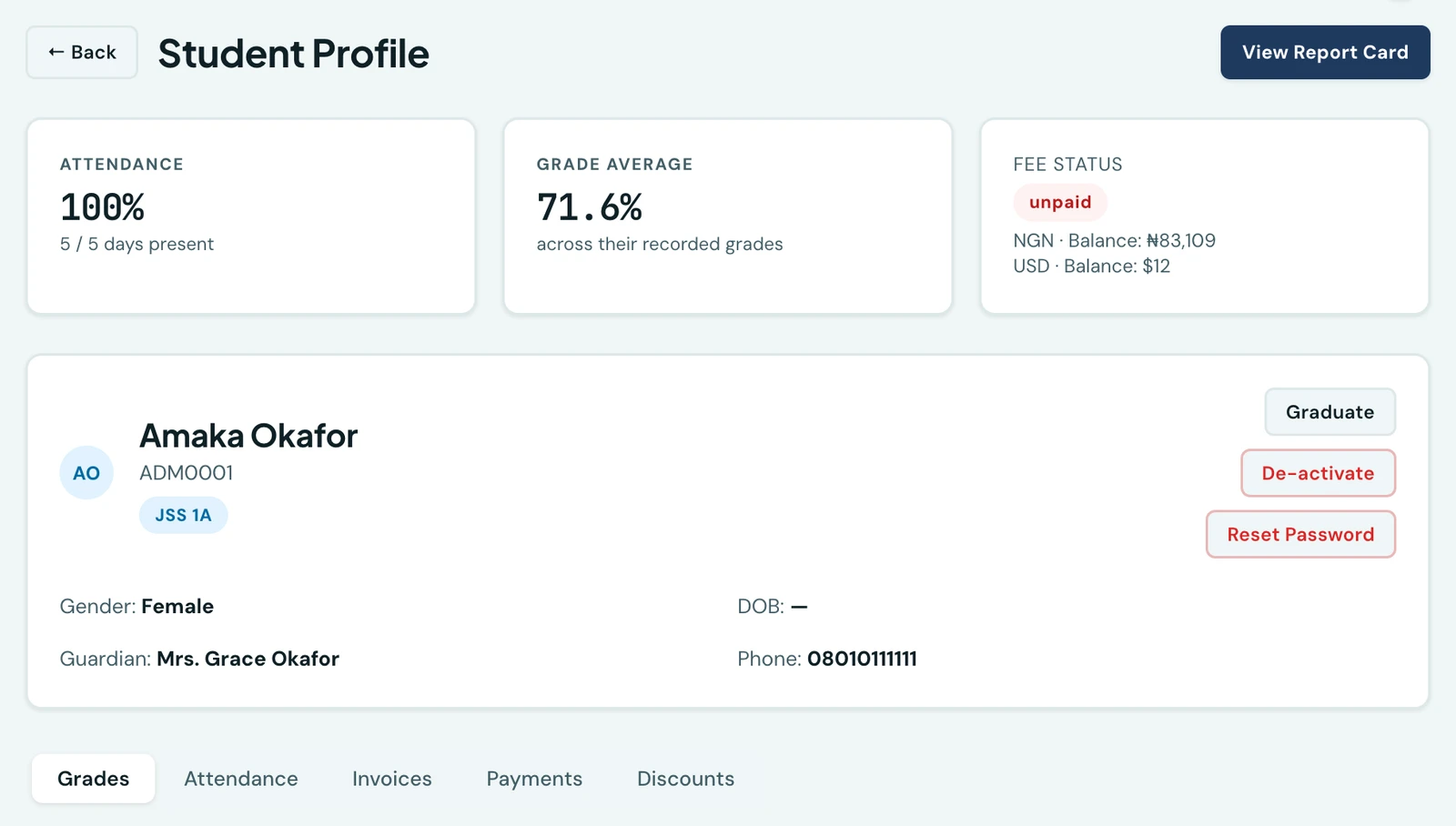
A one-page, at-a-glance summary of any student, composing their attendance, academic, and fee data into a single view, so nobody has to jump between pages to assemble it.
What it shows
Three cards across the top of the profile:
- Attendance. The share of days present, with the present and total day count beneath it
- Grade average. The average percentage across the marks recorded for that pupil
- Fee status. Their overall paid, part-paid or unpaid standing, and what is still outstanding
Open any student's profile to see it. It is read-only and always reflects live data, so it is never a figure someone has to remember to refresh.
A balance is shown per currency and the currencies are never added together. A pupil billed in naira and in dollars gets a line for each, because there is no exchange rate on the platform and a single total across two currencies would be a number that is not true in either. The overall status is worst-wins: one unpaid invoice makes the pupil unpaid however many others are settled, since the card is answering whether this family owes the school anything.
The grade average is drawn from every mark on the pupil's record rather than from a single term, so it is a standing figure rather than one that moves with a term selector. Their marks term by term are on the Grades tab below.
What sits under it
The tabs beneath the summary are the pupil's full record: Grades and Attendance, and then Invoices, Payments and Discounts for staff who hold the finance permission each of those needs. A tab you do not have the permission for is not there at all rather than present and refusing you.
Who can see the fee card
The fee card needs finance permission. Staff without it see the attendance and grade cards and nothing else, laid out as two cards rather than two and a gap. The figures are withheld by the server, not merely hidden on the page, so a class teacher checking a pupil's marks is never sent that family's balance. See a student's invoices and payments.
On the mobile app the same fee position appears on the pupil's screen, under the same permission.
On the phone
The same summary heads every pupil's record on the mobile app. Open People, choose Students and tap a pupil. The top of the screen shows their attendance as a ring with the percentage and the number of days marked, with their average score beside it. Staff with finance permission also see the Fees card, with the pupil's overall status and a line for each currency, never a total across them, and an Invoices & payments button under it for staff who may read those. Without finance permission the record has no fee card, because the server withholds the figures on the phone as it does on the web.
Ready to try it with your school?
Three-month Basic trial. No card required to register.