
Advanced
Grade Types & Score Breakdowns
Define your score components (CA, Test, Exam, Assignment) and break any grade down into those parts, always summing to the total grade.
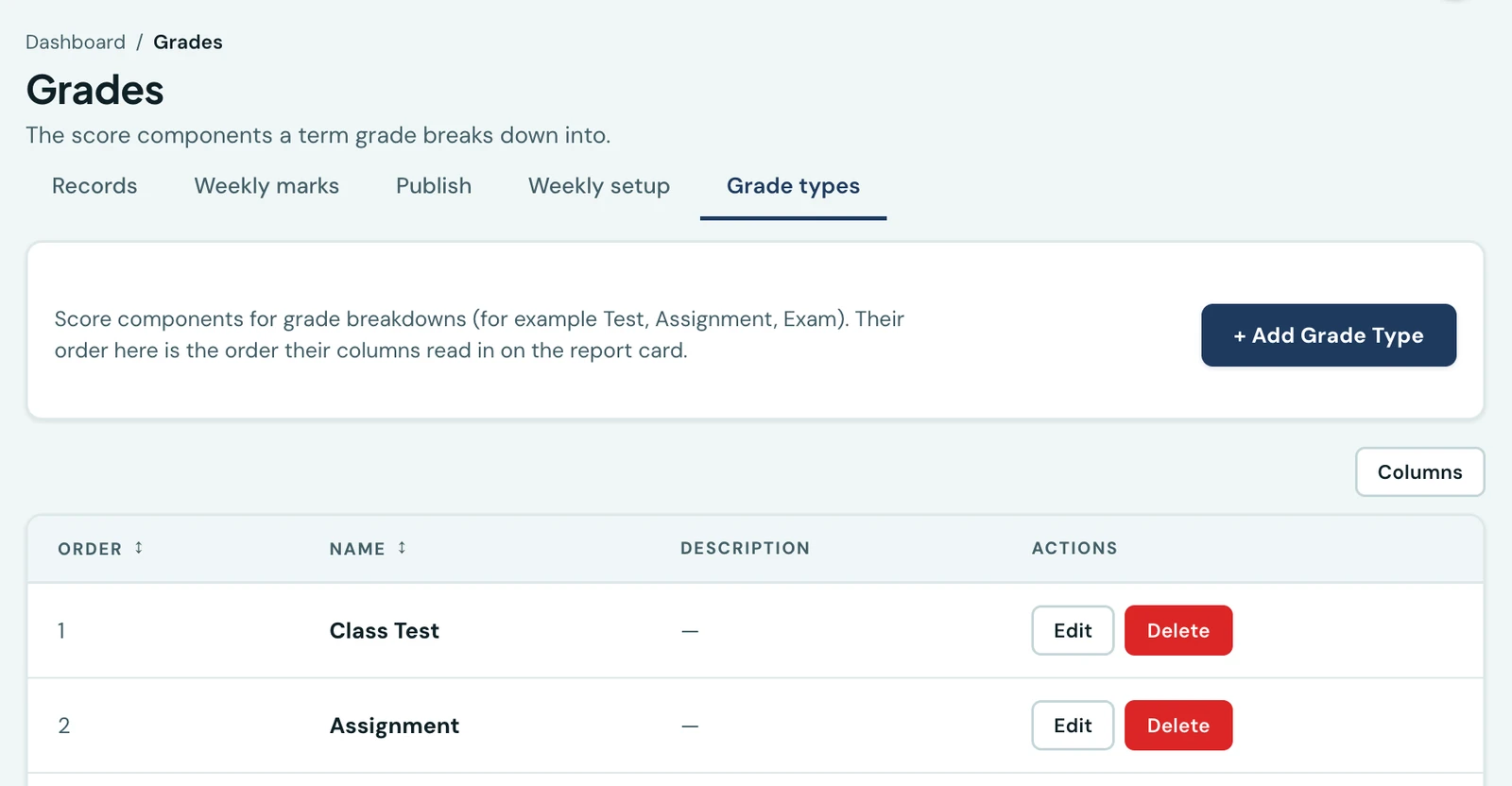
Define the score components that make up a student's grade, such as Continuous Assessment, Test and Examination, then optionally record a per-component score alongside every grade entry.
Setting up grade types
Go to Grades in the admin sidebar and open its Grade types tab. Add a grade type for each scoring component your school uses, such as:
- CA (Continuous Assessment)
- Test
- Assignment
- Examination
Each grade type has a name, an optional description, and a display order. The display order is what decides the order its column appears in on the report card, so "CA1, CA2, Exam" reads the way your school teaches it rather than alphabetically; a new grade type is added at the end. Admins can create, rename, reorder and delete grade types at any time. All staff can read them.
Recording a grade with breakdowns
When adding or editing a grade, tick "Break down score by grade types". A row appears for each grade type, and you enter the component score and its maximum. The overall total score is the sum of all component scores, so the total field is filled in automatically and is read-only while breakdowns are active.
Breakdowns are optional. You can record a plain total at any time without defining components.
Viewing breakdowns
In the Grades table, any grade that has component breakdowns shows them in an expandable sub-row directly beneath the main grade row. Each component is displayed as Type: score/max. This breakdown is visible to admins and teachers in the staff portal.
Ready to try it with your school?
Free for schools up to 40 students. No credit card required.